

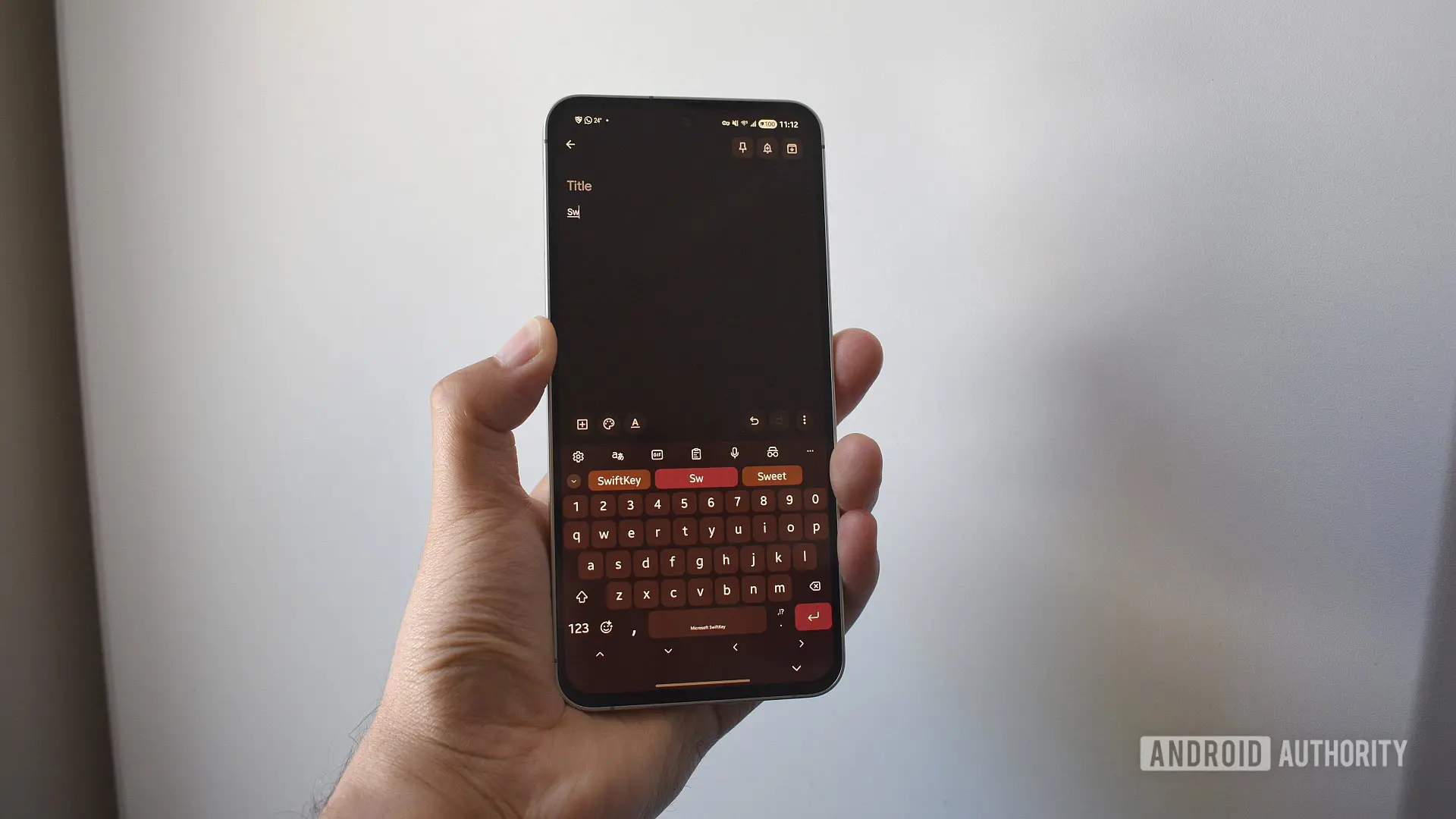
SwiftKey's History and the Microsoft Acquisition
SwiftKey, originally launched in 2008, revolutionized mobile typing with its swipe-gesture capabilities and powerful predictive text engine. Its advanced machine learning algorithms adapted to individual typing habits, learning slang, names, and frequently used phrases to make typing faster and more accurate. In 2016, Microsoft acquired SwiftKey for a reported $250 million, intending to integrate the technology across its ecosystem, including Windows, Office, and Xbox. Since then, SwiftKey has remained a popular keyboard choice for both Android and iOS users.
Over the years, Microsoft has gradually shifted SwiftKey's infrastructure toward Microsoft services. The cloud backup feature initially supported Google Drive and Apple iCloud for syncing personal dictionaries and customized prediction models across devices. However, in early 2023, Microsoft announced that it would deprecate third-party backups in favor of Microsoft OneDrive. The transition deadline has been repeatedly delayed, but the final cutoff is set for May 31.
What Data Is at Risk?
Your SwiftKey backup contains two primary components:
- Personal Dictionary: A list of words and phrases you intentionally added or that the keyboard automatically learned as you type. This includes names, acronyms, slang, and even misspellings you use repeatedly.
- Personalized Prediction Model: An AI-driven model trained on your typing patterns, including common word sequences, swipe gestures, and corrections. This model enables the keyboard to suggest the next word with high accuracy.
If you lose access to this backup, you will have to start from scratch. The keyboard will still function, but its predictions will be generic, requiring you to retrain it manually over weeks or months. For power users who rely on swift swipe typing and custom shortcuts, rebuilding this profile is a significant inconvenience.
How to Transfer Your SwiftKey Backup to a Microsoft Account
The process is straightforward and can be completed in about 10 minutes. Follow these steps carefully before the May 31 deadline:
- Access the SwiftKey Data Portal: On your phone, open SwiftKey settings > Account > View and manage your data. Alternatively, visit the Microsoft SwiftKey data portal in a web browser.
- Select Your Current Account Provider: Choose Google or Apple as the login method you used for SwiftKey backup. Authenticate if prompted.
- View Your Data: Tap 'View data' to see your entire personal dictionary. You can manually copy entries, but the recommended option is 'Export all'.
- Download the Export File: The file will be downloaded to your device or browser. It’s typically a simple text file containing your word list.
- Create or Log In to a Microsoft Account: If you don’t have one, sign up for a free Microsoft account. You can use any email address.
- Log In to OneDrive: Go to onedrive.live.com and sign in with your Microsoft account.
- Navigate to Apps > SwiftKey: In OneDrive, locate the folder Apps > SwiftKey. This is where backup files are stored.
- Upload the Exported File: Drag or upload your downloaded text file into that folder. Ensure the file name matches what SwiftKey expects (usually something like 'personal_dictionary.txt').
- Sign In to SwiftKey with Microsoft Account: Open SwiftKey on your phone, go to Settings > Account, and sign in with your Microsoft account. Then enable Backup & Sync.
- Verify Your Data: After syncing, your personalized predictions should appear. If not, navigate to OneDrive and check the file. You may need to manually re-add some words if the import didn’t update immediately.
Once the transfer is complete, you can enjoy seamless sync across all devices where you use SwiftKey with the same Microsoft account, including Windows PCs and Xbox consoles that support the keyboard.
What If You Miss the Deadline?
If you fail to export your data before May 31, your personal dictionary and prediction model will be permanently deleted from Microsoft's servers. The 'Backup & Sync' option will become inaccessible until you switch to a Microsoft account and start training the keyboard from scratch. While the keyboard itself will continue to function, you will lose the years of accumulated customization. There is no grace period or alternative retrieval method once the deadline passes.
Additional Benefits of Switching
Microsoft is offering an incentive to ease the transition. After migrating your backup to a Microsoft account and completing the sync, you may be eligible to earn up to 1,000 Microsoft Reward Points. These points can be redeemed for Xbox gift cards, online store discounts, app subscriptions, or charitable donations. To claim the reward, you typically need to visit the SwiftKey Rewards page within the app or follow prompts after signing in. Check the terms as the offer may be region-specific and require you to opt in before May 31.
Moreover, using a Microsoft account unlocks deeper integration with Windows 10 or 11. On PC, you can use SwiftKey across desktop apps, while on Xbox, the keyboard becomes available for chat and search. The OneDrive backup also means your data is stored in the cloud securely, accessible from any device with your Microsoft login.
Finally, this move aligns with Microsoft's broader strategy of unifying user accounts. After acquiring SwiftKey, the company gradually integrated it with Outlook, Skype, and Edge, offering a consistent typing experience. By eliminating third-party authentication, Microsoft reduces complexity and ensures that all backup data resides within its ecosystem, potentially improving reliability and security.
For those who have used SwiftKey for years, the transition may seem forced, but it ultimately provides a more cohesive experience across Microsoft's products. With the deadline imminent, taking action now is the only way to preserve your personalized typing profile.
Source: Android Authority News